# Creating Stencil Apps with Tailwind
By Jag Reehal, 2021-01-13. Canonical: https://arrangeactassert.com/posts/creating-stencil-apps-with-tailwind/
[Stencil](https://stenciljs.com/) is a compiler for creating web components that work alone or with web applications written in React, Vue, Angular, Svelte, Ember or anything else you can think of.
[Tailwind CSS](https://tailwindcss.com/) deserves all praise love it's getting right now as the developer experience is incredible.
In this post I'll show how to create a Stencil web app using Tailwind CSS.
You can create a Stencil web application by running
```bash
npm init stencil
```
and choosing 'app' when asked to pick a starter
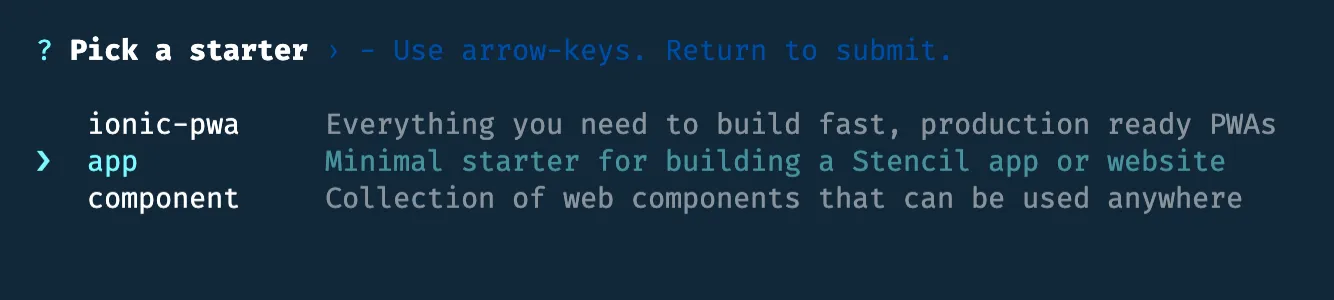
next add the following dev dependencies
```bash
npm install -D tailwindcss@latest @stencil/postcss@latest autoprefixer@latest
```
and run the following command to create a Tailwind configuration file 'tailwind.config.js'.
```bash
npx tailwindcss init
```
In the Tailwind configuration file set the array of paths for where you'll be using Tailwind classes. This is required for removing unused CSS when creating a production build
```js
module.exports = {
purge: [],
purge: ['./src/**/*.html', './src/**/*.tsx', './src/**/*.css'],
darkMode: false, // or 'media' or 'class'
theme: {
extend: {},
},
variants: {},
plugins: [],
};
```
You can configure Stencil to use PostCSS as a plugin in 'stencil.config.ts'
```js
import { Config } from '@stencil/core';
import { postcss } from '@stencil/postcss';
import tailwindcss from 'tailwindcss';
import autoprefixer from 'autoprefixer';
// https://stenciljs.com/docs/config
export const config: Config = {
globalStyle: 'src/global/app.css',
globalScript: 'src/global/app.ts',
taskQueue: 'async',
outputTargets: [
{
type: 'www',
// comment the following line to disable service workers in production
serviceWorker: null,
baseUrl: 'https://myapp.local/',
},
],
plugins: [
postcss({
plugins: [tailwindcss(), autoprefixer],
}),
],
};
```
The next step is to inject Tailwind's 'base', 'components', and 'utilities' styles in 'src/global/app.css'.
```css
@tailwind base;
@tailwind components;
@tailwind utilities;
```
That's all the configuration done! Now you can start the Stencil development server by running
```bash
npm start
```
## Using Tailwind in Stencil Components
> It's possible to use Stencil with the ShadowDOM which will be covered in a later post, but lets keep things simple for now
Open the file 'src/components/app-root/app-root.tsx' and remove the styleUrl and shadow properties from the component, and replace the header element to use Tailwind CSS classes.
```js
import { Component, h } from '@stencil/core';
@Component({
tag: 'app-root',
styleUrl: 'app-root.css',
shadow: true,
})
export class AppRoot {
render() {
return (
);
}
}
```
The output for using Tailwind CSS with Stencil is shown below.
The code for how to use [Tailwind CSS with Stencil can be found on GitHub](https://github.com/jagreehal/stencil-app-with-tailwind).
In upcoming posts I'll show how to create component libraries using Stencil and Tailwind covering topics such as scoped CSS styles.