Agent: The Sugar Syntax of streamText
19 Sep 2025For most of us, AI still feels like a black box. We send it a prompt and we get back a blob of text. Maybe we write some code to call a tool; maybe we juggle a few callbacks. We tell ourselves that this is just how things work: a model can only generate tokens, and tools can only run in our code.
But what if this mental model is the problem?
In this post I want to argue that the Agent pattern in the AI SDK is as revolutionary for AI development as useState and useEffect were for React. Just like React's client/server directives annotate where code runs across the network, the Agent API annotates where logic runs across the AI/model boundary.
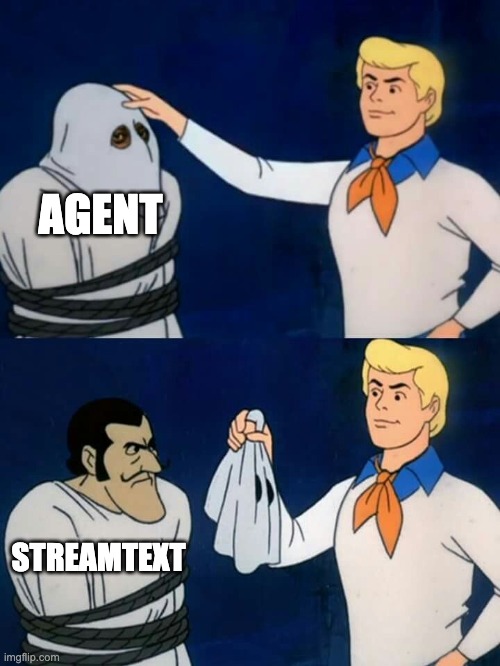
Even if you never use it, understanding why it exists will change how you think about building AI applications.
Two worlds stitched together
Let's start with the basics. The AI SDK exposes two ways to talk to language models:
- generateText / streamText, which directly stream tokens back from an LLM.
- Agent, an object-oriented facade built on top of those functions.
The raw streamText function does a lot. It starts streaming immediately, supports callbacks for chunks and errors, and exposes helper functions for sending responses. The result object contains rich information: the generated content, reasoning, tool calls and results, usage data and more. In other words, streamText already knows how to handle multi-step conversations, execute tools, and recover from errors. It is the low-level primitive.
The Agent class, by contrast, is almost boring.
The official docs describe it as
"a structured way to encapsulate LLM configuration, tools, and behavior into reusable components".
It accepts the same settings you would pass to generateText or streamText. Under the hood, its generate and stream methods literally forward those options to the corresponding functions.
So why bother?
The old way
To appreciate the difference, imagine you are building a simple weather bot with raw streamText.
Your code might look like this:
import { streamText } from 'ai';
import { openai } from '@ai-sdk/openai';
import { z } from 'zod';

const result = streamText({
  model: openai('gpt-4o'),
  system: 'You are a helpful assistant.',
  prompt: 'What is the weather in NYC?',
  tools: {
    getWeather: {
      description: 'Get the current weather',
      inputSchema: z.object({ location: z.string() }),
      async execute({ location }) {
        // call your weather API
        return { temperature: 72, condition: 'sunny' };
      }
    }
  },
  onError({ error }) {
    console.error(error);
  },
  onFinish({ toolCalls }) {
    // Stream finished; tools with execute already ran.
    // For manual handling, omit execute and process toolCalls.
  }
});

// consume the async iterator
for await (const chunk of result.textStream) {
  console.log(chunk);
}
This works fine, but notice how much boilerplate you are dealing with:
- You have to pass the same model, system prompt and tools every time.
- You manually consume the
textStreamand handleonError/onFinish. - You decide when to stop streaming, when to call tools and when to finish.
You are writing orchestration logic rather than focusing on your problem. Every detail about streaming, tool calls and state management lives in your code.
The Agent way
Now look at the same logic expressed with an Agent:
import { Agent } from 'ai';
import { openai } from '@ai-sdk/openai';
import { z } from 'zod';

const assistant = new Agent({
  model: openai('gpt-4o'),
  system: 'You are a helpful assistant.',
  tools: {
    getWeather: {
      description: 'Get the current weather',
      inputSchema: z.object({ location: z.string() }),
      async execute({ location }) {
        return { temperature: 72, condition: 'sunny' };
      }
    }
  }
});

const result = await assistant.stream({ prompt: 'What is the weather in NYC?' });
That's it. There are no callbacks to hook, no loop to write. When the model decides to call a tool, the SDK calls it for you. When the model finishes generating text, the stream ends. The same configuration is reused for every call to the agent.
Under the hood, nothing magical is happening. The Agent's stream method merges your prompt with the agent's configuration and forwards it to streamText. Agent methods return the same result objects as generateText/streamText and reuse most of the same settings. Yet this tiny abstraction has outsized effects on how you structure your code.
Why does this matter?
From configuration to behavior
When you call streamText directly, you think procedurally:
- Call the model. Set up the model, system prompt and tools.
- Handle the stream. Consume tokens, watch for tool calls, call tools, feed results back.
- Manage state. Keep track of previous messages, step counts and stop conditions.
- Handle errors. Log and recover from exceptions.
With an Agent you think declaratively:
- Define an agent. Specify the model, system prompt, tools and stopping rules once.
- Give it tasks. Pass a prompt to
generate()orstream(). - Let it orchestrate. The SDK manages streaming, tool calls and state.
In other words, the Agent doesn't add new features; it removes cognitive overhead. You stop thinking about configuration and start thinking about behavior. The agent becomes a reusable AI entity in your codebase rather than a loose configuration object.
Reusability and encapsulation
Because an agent is a class, you can instantiate as many as you need with different roles. Here's a more advanced example:
const codeReviewer = new Agent({
  model: openai('gpt-4o'),
  system: `You are a senior software engineer conducting code reviews.
You can read files, analyze code quality and suggest improvements.`,
  tools: {
    readFile: readFileTool,
    analyzeComplexity: complexityTool,
    suggestRefactoring: refactorTool,
    checkTests: testingTool
  },
  stopWhen: [stepCountIs(5)] // maximum five steps
});

const review = await codeReviewer.stream({
  prompt: 'Please review the file src/utils/data-processor.js'
});
You're not manually iterating over tool calls anymore. You define the capabilities of an assistant and let it figure out how to achieve its goal. Each call to stream() reuses the same tools, system prompt and stopping conditions; the only thing that changes is the prompt. As the docs note, the Agent encapsulates configuration so you can reuse it across your application.
A bigger mental model: AI as a single program
This abstraction hints at a deeper mental model. In the old world, your application and the model live in separate universes. The model only knows how to generate text; your code only knows how to run tools. There is no way to express that a piece of code wants to orchestrate both. You glue them together with fetch() or manual loops.
Agents invite you to see your application and the AI model as one program split across two execution contexts. You describe an assistant's behavior (its model, prompt and tools) and then call it like any other method. The AI decides when to call your tools; your tools feed their results back into the model. Each generation step is either a piece of text or a tool invocation, and the loop continues until a stopping condition is met. You no longer need to manage the loop yourself; you think at a higher level.
Here's a visual way to think about it:
graph TD
  subgraph "Your Code"
    A[Define Agent] --> B["Call agent.stream()"]
  end

  subgraph "AI SDK"
    B --> C{streamText}
    C --> D[LLM]
    C --> E[Tool Executor]
    E --> D
  end

  subgraph "Agent Configuration"
    F[Model]
    G[System Prompt]
    H[Tools]
    I[Stop Conditions]
  end

  F -.-> B
  G -.-> B
  H -.-> B
  I -.-> B
The dashed lines represent configuration that the agent holds on to. Whenever you call agent.stream(), that configuration is merged with your prompt and passed to streamText. The loop of model → tool call → model continues until the model generates text or hits a stop condition.
Cognitive load and API design
So what is the big deal out of what is essentially a convenience wrapper?
Because good API design is as much about psychology as it is about features. When all we had was streamText, we had to think about the network protocol, callbacks and error handling. We were coding at the wrong level of abstraction.
By introducing a small facade, the AI SDK changes our default mental model. It makes the boundary between your code and the model explicit but frictionless. You can still drop down to streamText for fine-grained control, for example, when you need to handle each chunk yourself or implement custom loop logic. But for most use cases, an Agent lets you focus on what your AI should do, not how it should do it.
This reminds me of the leap from writing XHR calls to using fetch() / async functions; or from manual DOM updates to using React components. Each leap didn't add something we couldn't technically do before; it removed something we no longer had to think about. That's why I think the Agent pattern will outlive the current library. It's not just sugar, it's a mental model.
Beyond the basics: building AI entities
Once you start seeing agents as reusable AI entities, you begin to imagine more ambitious scenarios. For example:
const codebaseAgent = new Agent({
  model: openai('gpt-4o'),
  system: 'You understand this entire codebase.',
  tools: {
    readFile,
    searchCode,
    runTests,
    deployCode,
    analyzePerformance,
    reviewPRs,
    updateDocs
  },
  stopWhen: [stepCountIs(10)]
});

// Same agent helps with multiple tasks
await codebaseAgent.stream({ prompt: 'Refactor the authentication system' });
await codebaseAgent.stream({
  prompt: 'Write API documentation for the billing module'
});
await codebaseAgent.stream({ prompt: 'Investigate why the build is failing' });
Here, the agent isn't just a function call; it's a team member with a persistent identity. You might add memory so it remembers previous files it has read, or share context so it builds up a knowledge base. At this point, you're not building AI features anymore. You're building AI entities with their own capabilities, constraints and state.
The meta-lesson
The relationship between Agents and streamText illustrates an important principle: sometimes the most significant innovation is not a new capability, but a new way of thinking about existing capabilities.
The Agent class doesn't change what streamText can do; it changes how you think about orchestrating AI and tools. It allows you to see your application and the model as a single program and to express your intent declaratively.
When you design APIs, ask yourself: What mental model am I promoting? Are you forcing your users to juggle configuration and boilerplate, or are you giving them the right abstractions so they can focus on behavior?
The Agent pattern shows that a tiny bit of sugar can make a complex system feel intuitive and human. And that might be the most important feature of all.