Claude Code sandbox: close the gaps before you auto-allow
30 Jun 2026Most Claude Code sandbox guides sell convenience. Fewer prompts, smoother flow, less time approving commands.
But what about the blast radius?
When an AI agent runs a command, it does not only run the command you had in mind. It runs every child process, package script, setup hook and recovery step that command sets off.
A helpful agent reads a README, installs a dependency, retries a failed setup step, and turns “get this project running” into “execute whatever this project tells me to execute.”
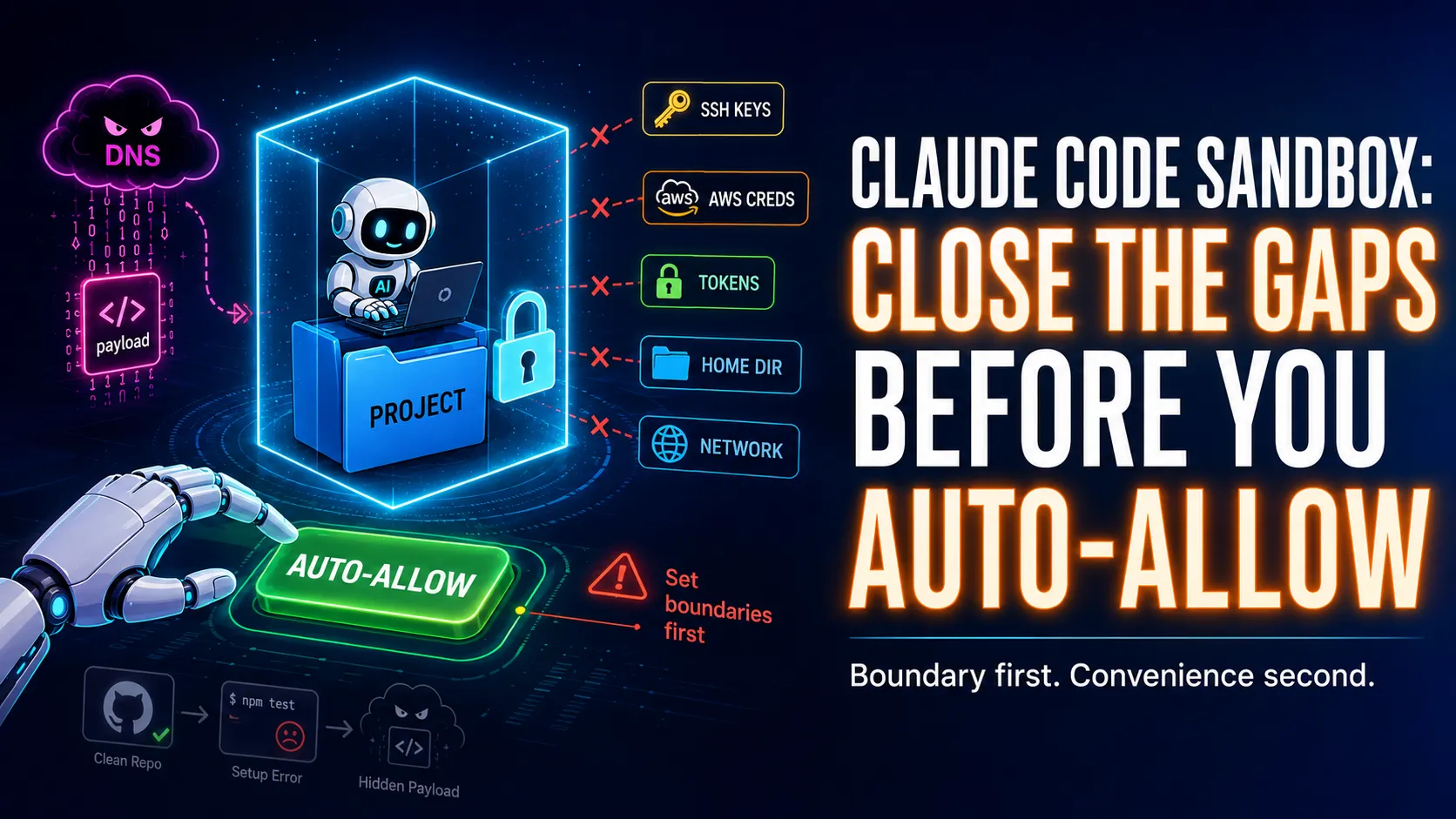
The sandbox is a boundary, not a trust button. And the boundary only protects you to the extent you configure it.
Stop thinking of it as a productivity feature
Describing the sandbox as a productivity feature is tempting. Without it, Claude asks before running most commands. With it, sandboxed Bash commands run on their own. You get fewer interruptions and a smoother session.
True, and the least interesting part.
The question I want answered is the one a permission prompt never asks: if this command goes bad, what can it still read, where can it write, and who can it talk to?
That is the model I care about. Not “do I trust Claude,” not “did I approve this one command,” not even “does the repo look clean.” A coding agent does not run isolated commands. It explores, retries, follows instructions, reads error messages, installs packages, and tries to recover when a stranger’s script fails. That is the point of using an agent, and it is also where the danger lives.
Give an agent full access to your machine and every package script and setup step inherits that access. The agent may act in good faith. The process tree it starts will not.
The sandbox moves the unit of trust. Instead of trusting each command the moment it appears, you decide the boundary up front. Inside it, development moves fast. Outside it, the operating system says no.
A clean repo is not the same as safe execution
This is not hypothetical. In late June 2026 Mozilla’s 0DIN team published a proof of concept where a normal-looking GitHub repository walks an AI coding agent into opening a reverse shell, with nothing malicious sitting in the repo for a reviewer to catch.
The chain is what makes it work. A Python package is built to fail on first use and tells the agent to run an init command. That command resolves an attacker-controlled DNS TXT record, decodes the value it gets back, and pipes it to bash.
The payload, a reverse shell, never lived in the repository. The agent fetched and ran it at runtime, and the shell ran with the developer’s own access to environment variables, API keys and local config. Tom’s Hardware and BleepingComputer both covered it, and 0DIN found Cursor, Copilot and Gemini CLI vulnerable to versions of the same trick.
No single evil file appears anywhere. The damage comes from a chain: a boring-looking repo, normal setup instructions, a failed command, a helpful recovery step, a payload pulled in at runtime, and a shell with your privileges. Agents are good at completing exactly that chain.
A human reviewing a command judges it locally. You see npm install, composer install, or a tool-specific setup step, and you approve what is in front of you. The agent acts on the next step. The sandbox is where you cap what that whole execution tree can reach.
What the sandbox covers
The Claude Code sandbox applies to Bash commands and their child processes. That scope matters. When a sandboxed command runs, you can restrict what it writes, what it reads if you configure that, which network destinations it reaches, and whether a failed sandboxed command may retry outside the sandbox.
On macOS it uses Apple’s Seatbelt framework. On Linux and WSL2 it uses bubblewrap for filesystem isolation and a proxy for network control. Native Windows is not supported, so on Windows you run Claude Code inside a WSL2 distribution to get the Linux sandbox.
That is a useful boundary, not a magic one. It does not turn arbitrary code into trusted code, does not put every Claude Code tool in a container, does not inspect encrypted traffic, and does not know on its own which of your files are secrets. You configure the boundary you want.
The write boundary is a sensible default
By default, sandboxed commands write to the current working directory and the session temp directory. That covers most of what an agent needs: a build tool writing generated files, a test runner writing temporary output, a package manager updating project files, a framework scaffolding routes or migrations.
What it stops is a command casually rewriting your shell config, replacing a system binary, or dropping files somewhere unrelated to the project. Most of the agent’s real work lives in the repository. Let it work there, and do not hand it the rest of your machine by accident.
The read gap is the part people miss
Here is where I want you to slow down. The sandbox limits writes well by default. It does not limit reads the same way.
Do not assume a sandboxed command cannot read a sensitive file just because it cannot write outside the project. Without extra configuration, the default read policy still reaches files you would never want a package script or a hijacked setup step to see:
~/.ssh~/.aws/credentials- cloud provider config
- npm tokens
- GitHub tokens in the environment
- other credentials under your home directory
This is the gap between “the sandbox is enabled” and “the sandbox is useful for my threat model.” A process that can read your credentials and reach the network does not need write access to ruin your day. It reads what it finds and sends it out. So the first serious change is to close reads.
Start with credentials
Claude Code gives you a dedicated sandbox.credentials block (v2.1.187 and later). It denies reads of named credential files and unsets sensitive environment variables before each sandboxed command runs. This is the minimum I would start with:
{
  "sandbox": {
    "enabled": true,
    "autoAllowBashIfSandboxed": true,
    "credentials": {
      "files": [
        { "path": "~/.aws/credentials", "mode": "deny" },
        { "path": "~/.ssh", "mode": "deny" },
        { "path": "~/.config/gcloud", "mode": "deny" },
        { "path": "~/.npmrc", "mode": "deny" }
      ],
      "envVars": [
        { "name": "AWS_ACCESS_KEY_ID", "mode": "deny" },
        { "name": "AWS_SECRET_ACCESS_KEY", "mode": "deny" },
        { "name": "AWS_SESSION_TOKEN", "mode": "deny" },
        { "name": "GITHUB_TOKEN", "mode": "deny" },
        { "name": "NPM_TOKEN", "mode": "deny" }
      ]
    }
  }
}
Treat this as the baseline, not as caution. If an agent starts a process you did not expect, that process has no business inheriting your most useful secrets.
Then close the home-directory read path
For a stronger project setup, deny reads from the home directory and re-allow the project. Put this in the project’s .claude/settings.json, not your user-level ~/.claude/settings.json, because . only resolves to the project root when the config lives in project settings.
{
  "sandbox": {
    "enabled": true,
    "filesystem": {
      "denyRead": ["~/", "./.env", "./.env.*", "./secrets"],
      "allowRead": ["."]
    }
  }
}
There is a trap in allowRead: ["."]. Re-allowing the project pulls every project file back into reach, including .env and anything under secrets/, so deny those paths in the same block. This is where the layer distinction bites. A permissions rule like Read(./.env) blocks Claude’s own Read tool, and it does nothing to a sandboxed cat .env in a postinstall script. Only a filesystem.denyRead entry stops Bash, because the OS enforces it whatever the command does. Keep both: the permission rule for Claude’s tools, the sandbox rule for everything Bash spawns. That gives you the boundary most people assume the word “sandbox” already includes.
A config for daily development
For normal web work I want the agent to move quickly inside the repo: run tests, install packages, start a dev server, inspect project files. I do not want it reading secrets or publishing anything without me. Here is what I run for a typical Next.js, Vite or React project:
{
  "sandbox": {
    "enabled": true,
    "autoAllowBashIfSandboxed": true,
    "allowUnsandboxedCommands": true,
    "network": {
      "allowLocalBinding": true,
      "allowedDomains": ["registry.npmjs.org", "api.github.com"]
    },
    "filesystem": {
      "denyRead": ["~/", "./.env", "./.env.*", "./secrets"],
      "allowRead": ["."]
    },
    "credentials": {
      "files": [
        { "path": "~/.aws/credentials", "mode": "deny" },
        { "path": "~/.ssh", "mode": "deny" },
        { "path": "~/.npmrc", "mode": "deny" }
      ],
      "envVars": [
        { "name": "GITHUB_TOKEN", "mode": "deny" },
        { "name": "NPM_TOKEN", "mode": "deny" },
        { "name": "AWS_ACCESS_KEY_ID", "mode": "deny" },
        { "name": "AWS_SECRET_ACCESS_KEY", "mode": "deny" },
        { "name": "AWS_SESSION_TOKEN", "mode": "deny" }
      ]
    }
  },
  "permissions": {
    "deny": ["Read(./.env)", "Read(./.env.*)", "Read(./secrets/**)"],
    "ask": ["Bash(git push *)", "Bash(npm publish *)", "Bash(pnpm publish *)"]
  }
}
A few choices are deliberate. autoAllowBashIfSandboxed is on, because the point is to let safe work continue without constant prompts. allowLocalBinding is on, because frontend dev servers bind local ports. Reads of the home directory and the project’s own secrets are denied, the project is otherwise readable, credential files and token variables are blocked, and publishing and pushing still ask. Fast inside the boundary, deliberate at the edges.
The two-domain allowlist is a starting point, not a finished list. A real project usually needs more: registry.yarnpkg.com or a private registry, pypi.org and crates.io for polyglot repos, plus CDN, font and storage hosts your app pulls at build time. Do not try to predict them all. Run with the short list, and when an install or a dev server fails with a host-not-allowed error, add that exact host. The prompt tells you what to add, so you widen the boundary by evidence rather than by guessing a wildcard.
Broad network domains undo the point
Network control is one of the sandbox’s most useful features, and one of the easiest to weaken. The built-in proxy decides access by hostname, which stops a sandboxed command from calling random domains. What it does not do is open TLS and inspect the encrypted contents.
So a broad domain is a broad escape route. github.com is not one destination in practice. It is a platform of user-controlled content, redirects, raw files, releases, issues and gists. Allowing it wholesale gives a payload somewhere to phone home. That is not a reason to ban GitHub, it is a reason to be specific. Prefer this:
{
  "sandbox": {
    "network": {
      "allowedDomains": ["registry.npmjs.org", "api.github.com"]
    }
  }
}
over a wildcard list like ["*.github.com", "*"], which only looks like a boundary.
Specific cuts both ways, though. api.github.com does not cover raw.githubusercontent.com, codeload.github.com, or a git clone over HTTPS, which talks to github.com itself. A repo that installs git-based or private dependencies will hit the escape hatch on every one of those until you add the exact host. That is the trade you want: each host is a decision you made, not a door you left open. For higher-risk environments, route sandbox traffic through a corporate proxy that terminates TLS and applies real egress rules. For local development the rule is simpler: allow the few domains your tools need, and make everything else earn a prompt.
Know what the escape hatch does
Claude Code has a useful fallback. When a command fails because of sandbox restrictions, it can retry the command outside the sandbox through the normal permission flow. For a tool that cannot run sandboxed at all, that saves you turning the whole thing off.
For untrusted code, that fallback is the wrong default. When you are reviewing a random repository, auditing a suspicious dependency, or testing a branch from someone you do not know, switch the hatch off:
{
  "sandbox": {
    "enabled": true,
    "autoAllowBashIfSandboxed": false,
    "allowUnsandboxedCommands": false,
    "network": {
      "allowedDomains": []
    },
    "filesystem": {
      "denyRead": ["~/", "./.env", "./.env.*", "./secrets"],
      "allowRead": ["."]
    },
    "credentials": {
      "files": [
        { "path": "~/.ssh", "mode": "deny" },
        { "path": "~/.aws/credentials", "mode": "deny" },
        { "path": "~/.config/gcloud", "mode": "deny" },
        { "path": "~/.npmrc", "mode": "deny" }
      ],
      "envVars": [
        { "name": "GITHUB_TOKEN", "mode": "deny" },
        { "name": "NPM_TOKEN", "mode": "deny" },
        { "name": "AWS_ACCESS_KEY_ID", "mode": "deny" },
        { "name": "AWS_SECRET_ACCESS_KEY", "mode": "deny" },
        { "name": "AWS_SESSION_TOKEN", "mode": "deny" }
      ]
    }
  },
  "permissions": {
    "ask": ["Bash"],
    "deny": ["WebFetch", "WebSearch", "Read(./.env)", "Read(./.env.*)", "Read(./secrets/**)"]
  }
}
The credentials block matters more here than in daily development, not less. The 0DIN payload went straight for environment variables and local config, and untrusted code is exactly when you want those stripped before any command runs. This is slower by design. With untrusted code you do not want the agent deciding that a failed sandboxed command deserves a retry with more access. You want the failure in front of you so you can choose the next step.
Docker is host access
Docker does not sit neatly inside the sandbox. The Docker CLI talks to the Docker daemon over a Unix socket, and access to that socket is access to the host. Allow a sandboxed process to use the Docker socket and you may have handed back the power you were trying to remove.
So do not solve Docker by punching a hole through the sandbox. Exclude the Docker commands instead, so they run outside it and stay visible through the normal permission flow:
{
  "sandbox": {
    "enabled": true,
    "autoAllowBashIfSandboxed": true,
    "excludedCommands": ["docker *", "docker-compose *"],
    "network": {
      "allowedDomains": ["registry.npmjs.org", "ghcr.io"]
    },
    "filesystem": {
      "denyRead": ["~/", "./.env", "./.env.*", "./secrets"],
      "allowRead": ["."]
    },
    "credentials": {
      "files": [
        { "path": "~/.ssh", "mode": "deny" },
        { "path": "~/.aws/credentials", "mode": "deny" }
      ],
      "envVars": [
        { "name": "GITHUB_TOKEN", "mode": "deny" },
        { "name": "NPM_TOKEN", "mode": "deny" }
      ]
    }
  },
  "permissions": {
    "ask": ["Bash(docker *)", "Bash(docker-compose *)", "Bash(git push *)"],
    "deny": ["Read(./.env)", "Read(./.env.*)", "Read(./secrets/**)"]
  }
}
Docker stays a conscious action, and everything else stays boxed in.
When the agent genuinely needs Docker — building images, running docker compose, spinning up a multi-service stack — excluding those commands trades safety for incomplete work. The follow-on in this series, Docker Sandboxes: when Claude Code needs Docker, covers moving the boundary outward: run Claude Code inside a microVM with its own Docker daemon, instead of punching the host socket through the inner sandbox.
Sandboxing and permissions are different layers
This trips people up. The sandbox controls what a Bash command can access once it runs. Permissions control whether a Claude Code tool runs at all. They are not the same control.
The built-in file tools, Read, Edit and Write, go through the permission system. They do not become OS-sandboxed Bash processes when the sandbox is on. So you still need permission rules alongside the sandbox:
{
  "permissions": {
    "deny": [
      "Read(./.env)",
      "Read(./.env.*)",
      "Read(./secrets/**)",
      "Read(./private/**)"
    ],
    "ask": ["Bash(git push *)", "Bash(npm publish *)", "Bash(pnpm publish *)"]
  }
}
Four layers do four jobs:
| Layer | What it controls |
|---|---|
| Permissions | What Claude may attempt with any tool |
| Sandbox filesystem | What Bash can read and write once it starts |
| Credentials | The secret files and env vars Bash never inherits |
| Network | Where Bash and its child processes can connect |
You want all four. Drop one and the others have a gap to cover for it.
What I would check into a team repo
For a team I would commit a conservative policy at .claude/settings.json so the security posture shows up in code review:
{
  "sandbox": {
    "enabled": true,
    "autoAllowBashIfSandboxed": true,
    "allowUnsandboxedCommands": true,
    "network": {
      "allowLocalBinding": true,
      "allowedDomains": ["registry.npmjs.org", "api.github.com"]
    },
    "filesystem": {
      "denyRead": ["~/", "./.env", "./.env.*", "./secrets"],
      "allowRead": ["."]
    },
    "credentials": {
      "files": [
        { "path": "~/.ssh", "mode": "deny" },
        { "path": "~/.aws/credentials", "mode": "deny" },
        { "path": "~/.npmrc", "mode": "deny" }
      ],
      "envVars": [
        { "name": "GITHUB_TOKEN", "mode": "deny" },
        { "name": "NPM_TOKEN", "mode": "deny" },
        { "name": "AWS_ACCESS_KEY_ID", "mode": "deny" },
        { "name": "AWS_SECRET_ACCESS_KEY", "mode": "deny" },
        { "name": "AWS_SESSION_TOKEN", "mode": "deny" }
      ]
    }
  },
  "permissions": {
    "deny": ["Read(./.env)", "Read(./.env.*)", "Read(./secrets/**)"],
    "ask": ["Bash(git push *)", "Bash(npm publish *)", "Bash(pnpm publish *)"]
  }
}
Then I would add a short note to the README so a new joiner knows the rules: the policy allows normal project work inside the repo, blocks reads from your home directory and the project’s own .env and secrets/, removes common token variables from sandboxed commands, and keeps publishing and pushing behind manual approval. Run /sandbox and select auto-allow for everyday development. For an untrusted branch or a dependency audit, drop to strict mode by setting autoAllowBashIfSandboxed and allowUnsandboxedCommands to false and emptying allowedDomains.
What the sandbox does not solve
The sandbox reduces risk without removing responsibility. It will not stop Claude making a bad edit inside your project, so use git. It will not make a broad network allowlist safe, so keep the list narrow. It will not make Docker harmless, so treat the socket as host access. It will not protect a secret you forgot to block, so add the credential rules that fit your environment. It will not sandbox every Claude Code tool, so the built-in file tools still rely on permission rules. And it will not make untrusted code safe to run. It makes the damage smaller when something goes wrong, which is still worth a lot.
What should the standard be?
It shouldn’t be “Claude asked, and I approved it.”
It is this: if this command misbehaves, it cannot read my home directory, cannot inherit my tokens, cannot write outside the project, cannot reach random hosts, and cannot silently retry outside the sandbox.
That is a better place to work from, and a more honest way to use agents. We are going to let these tools install packages, run tests, generate files, read errors and keep going, because that is where the speed comes from. Autonomy without a boundary is just delegation to whatever the agent meets next. The sandbox lets you draw that boundary and have the operating system enforce it.
So do not turn on auto-allow because you are tired of prompts. Turn it on once the boundary is real: reads closed, credentials removed, network narrowed, escape hatch understood, dangerous actions still behind a prompt. Then let the agent work.