Docker Sandboxes: when Claude Code needs Docker
07 Jul 2026In the previous post I closed the read gap, stripped credentials, narrowed network egress, and turned off the escape hatch for untrusted code. Then I hit the Docker wall. The host Docker socket is host access, so inside Claude Code's sandbox you exclude docker * and keep it behind prompts.
That stays correct for the inner sandbox. It falls short once the agent needs containers.
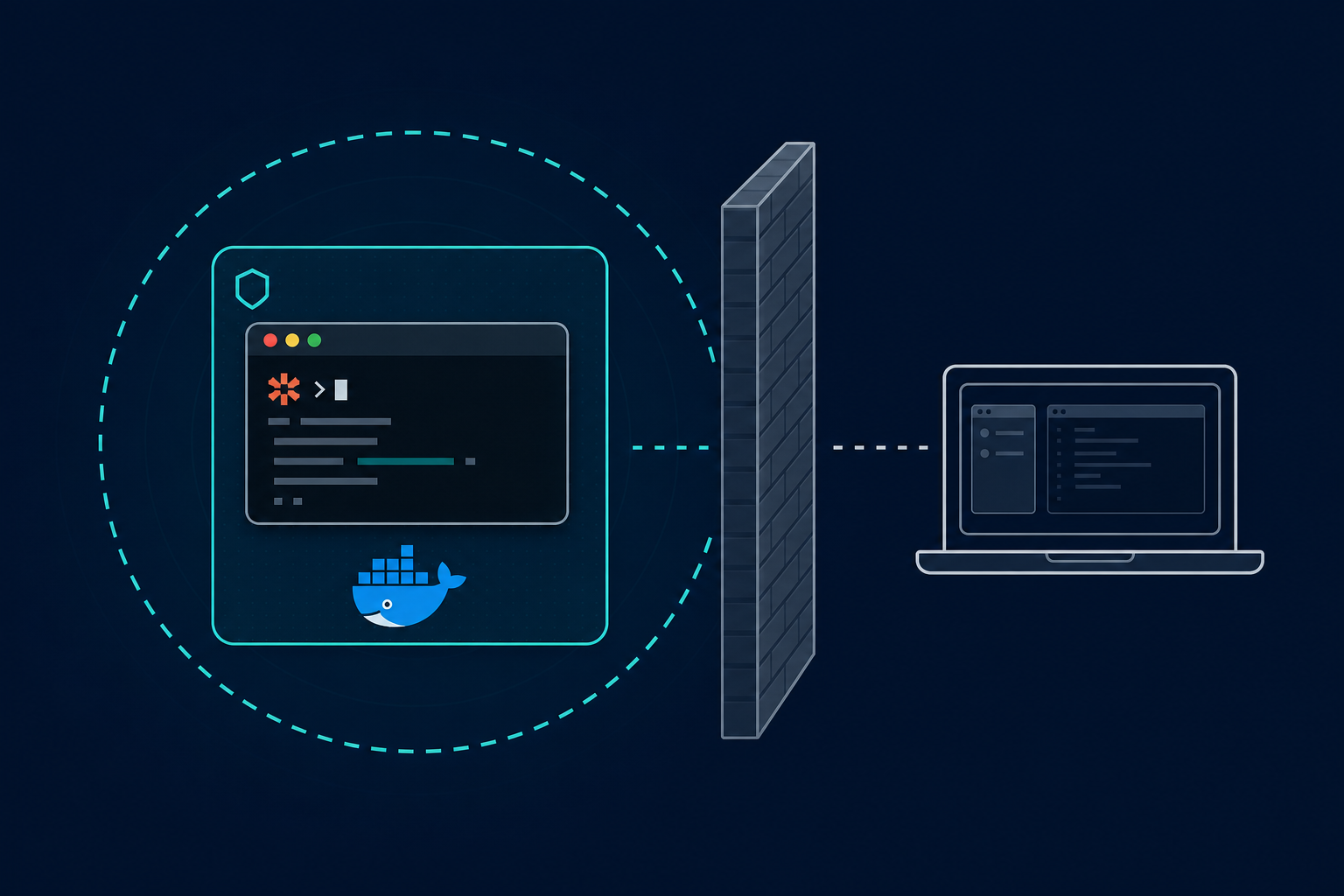
Docker Sandboxes runs Claude Code inside a microVM with its own Docker daemon, its own kernel, and a host-side proxy for credentials and network policy. You put the agent in the box. The host socket stays on the host.
Stop excluding the work the agent needs to do
The first post told you to put docker * and docker-compose * in excludedCommands, ask before they run, and treat the Unix socket as a direct line back to your machine. A compromised setup step that reaches the socket can start containers on your host, mount your filesystem, and inherit your network.
That is fine when Docker use is occasional. It hurts when containers are the actual work: build an image, run integration tests in compose, stand up Postgres and Redis, debug a multi-container stack. You keep approving Docker by hand, or you stop letting the agent finish.
Move the boundary instead of punching a hole through Seatbelt or bubblewrap. Each sandbox gets a private Docker Engine inside the microVM. When Claude runs docker build or docker compose up, those commands talk to that engine. They do not reach your host daemon, your host containers, or your host images unless you share something across the boundary on purpose.
Install the CLI separately from Docker Desktop:
brew trust docker/tap         # macOS Apple Silicon; see docs for Linux and Windows
brew install docker/tap/sbx
sbx login
cd ~/my-project
sbx run --name my-sandbox claude
The first run pulls the agent image and takes longer. Later starts are seconds.
Five layers where the first post had four
The Claude Code sandbox gives you four controls: permissions, filesystem, credentials, and network. Docker Sandboxes adds hypervisor isolation and pushes several of the others to the host edge.
| Concern from post 1 | Docker Sandboxes layer |
|---|---|
| Bash read/write boundary | Workspace isolation (--clone vs direct mount) |
sandbox.credentials |
Credential isolation (host proxy; keys stay off the VM) |
allowedDomains |
Network isolation (sbx policy; Balanced / Locked Down) |
| Docker socket = host access | Docker Engine isolation (in-VM daemon) |
| (not in post 1) | Hypervisor isolation (separate kernel per sandbox) |
Containers share the host kernel. A microVM does not. Docker Sandboxes runs a separate engine per session so you never mount /var/run/docker.sock into a process tree that also runs untrusted install scripts.
Direct mount vs clone mode
Docker Sandboxes defaults the same way Claude Code's sandbox defaults: your workspace is shared read-write, and changes land on your host as the agent writes them. Direct mode has no Git boundary. The agent can edit source, touch .github/workflows/, and write into .git/hooks/. Those paths do not show up in git diff. Review them like a pull request from someone you have never worked with.
Same gap as post 1. Turning on the sandbox, whether Seatbelt inside Claude Code or a microVM around it, does not give you the boundary you assumed the word "sandbox" meant. You choose it.
Clone mode is that choice. Pass --clone at create time:
sbx rm my-sandbox 2>/dev/null || true
sbx run --clone --name my-sandbox claude
The VM mounts your repository read-only. The agent works on a private Git clone with its own index, refs, and working tree. Nothing it commits reaches your host until you fetch. The CLI adds a sandbox-my-sandbox remote on your machine:
git fetch sandbox-my-sandbox
git log sandbox-my-sandbox/main
git diff main..sandbox-my-sandbox/main
To open a PR from the agent's work:
git checkout -b my-feature sandbox-my-sandbox/main
git push -u origin my-feature
gh pr create
Post 1 walked through an attack chain where a poisoned init script drops a pre-commit hook or alters CI config. Clone mode blocks that on the host: the agent cannot write your .git/, cannot change .github/workflows/ on your machine, and cannot race your local git status on a shared index. Two agents on the same repo, or you and an agent at once, do not share writable Git state.
Clone mode is fixed at create time. To switch, remove the sandbox and recreate with --clone. You also need a normal Git checkout, not a worktree.
One gap carries over from post 1. The read-only mount covers your whole working directory, untracked files included. A .env in the project tree is readable inside the sandbox. Keep secrets out of the tree, or rely on credential isolation on the host. Clone mode alone does not hide them.
Credentials without putting secrets in the VM
Post 1's sandbox.credentials block denies named files and unsets environment variables before each sandboxed Bash command. Docker Sandboxes goes further: model provider keys never enter the VM.
Store secrets on the host. The proxy injects auth headers on outbound requests:
sbx secret set -g anthropic
echo "$(gh auth token)" | sbx secret set -g github
Inside the sandbox, the agent sees sentinel values like proxy-managed, not the raw key. A compromised process inside the VM cannot read your Anthropic API key from the environment because it was never there. Docker's credentials documentation lists the built-in services and scoping rules.
On a Claude subscription (Max, Team, or Enterprise), /login inside the sandbox uses OAuth. The session token stays on the host; the proxy injects it the same way as an API key.
Registry credentials are the exception. sbx secret set -g --registry ghcr.io writes into ~/.docker/config.json inside the VM so the agent can pull and push images. The agent can read that file. Scope registry secrets to a named sandbox when you can, and grant registry access only to sandboxes that need it.
SSH agent forwarding keeps private keys on the host. The sandbox gets signing requests through SSH_AUTH_SOCK, which covers Git over SSH and commit signing. Outbound SSH still has to pass network policy.
Network policy: widen by evidence, not wildcards
Post 1 warned that *.github.com is not one destination and that broad allowlists undo the point of a hostname proxy. The same habit applies here.
On first login, sbx asks you to pick a network preset: Open, Balanced, or Locked Down. Start with Balanced: default deny, plus a baseline allowlist for common dev services. Locked Down blocks everything, model provider APIs included, until you add rules. Open allows all outbound traffic. Pick it only if you mean it.
See what is active:
sbx policy lsAdd a host when something fails with a block message:
sbx policy allow network registry.npmjs.orgDo not precompute every CDN and private registry your stack might touch. Run with Balanced, hit a failure, add that host. Same widen-by-evidence habit as post 1's two-domain starter list.
Run sbx policy ls again to see what Balanced already allows. Some defaults are broad. *.googleapis.com covers more than the one API you had in mind. Remove entries you do not need.
Raw TCP, UDP, and ICMP do not leave the sandbox. DNS resolves on the host proxy and follows the same policy. Non-HTTP TCP is blocked too, so outbound SSH needs an explicit rule like sbx policy allow network "IP:22". A hostname-only proxy inside Claude Code's sandbox does not block those paths by default.
A workflow for untrusted repos
Post 1's strict mode turns off auto-allow, closes the escape hatch, empties allowedDomains, and strips credentials before every command. For a random fork or a dependency audit, Docker Sandboxes with clone mode is the outer-wall version:
sbx rm audit 2>/dev/null || true
sbx policy init balanced
sbx run --clone --name audit claude
Work inside the sandbox. Fetch and diff on the host. Open a PR when you trust the diff. Remove the sandbox when you are done:
sbx rm auditOnce the repo earns trust again, daily development on the host with a tuned .claude/settings.json is faster. No microVM cold start, no separate Git remote to fetch. Use the inner boundary for code you stand behind. Use the outer one for code that has not earned that yet.
When to use which boundary
| Situation | Use |
|---|---|
| Daily work on a trusted team repo | Post 1: Claude Code sandbox + .claude/settings.json |
| Untrusted fork, dependency audit, unknown GitHub clone | Docker Sandboxes with --clone |
Agent needs docker compose, image builds, full stack |
Docker Sandboxes (in-VM engine) |
| Install-time risk only on a known repo | sandbox-node prefix on the host |
@jagreehal/sandbox-node runs one command, often an install, in a throwaway container on your host. Docker Sandboxes runs the whole agent session in a microVM. You might use both: sandbox-node for a suspicious npm install on a repo you otherwise trust, Docker Sandboxes when the session needs isolation or Docker.
What Docker Sandboxes does not solve
Docker marks the feature experimental. You need sbx login (Docker OAuth). Platform requirements are tight: macOS Sonoma on Apple Silicon, Windows 11 with hypervisor support, or Ubuntu 24.04+ with KVM. Docker Desktop is not required, but your machine has to run the microVM.
Direct mount is the default. Clone mode is opt-in, the same "sandbox enabled" versus "sandbox useful" gap from post 1.
Sandboxes persist after the agent exits. Installed packages, pulled images, and VM state survive until sbx rm. Good for multi-session work; run sbx rm when you are finished or disk use climbs.
Claude Code inside the sandbox does not sandbox Read, Edit, and Write against your host in direct mount. Those tools and Bash share the same writable tree. Clone mode fixes the Git and filesystem boundary; permission rules in .claude/settings.json still govern tool-level controls on the host.
You still review the diff. Network policy can tighten but will not be perfect. Registry credentials inside the VM are readable by the agent. Git, diff review, and a check of .git/hooks/ after a direct-mount session remain your job.
What should the standard be?
Post 1 ended with a test. If this command misbehaves, it cannot read my home directory, cannot inherit my tokens, cannot write outside the project, cannot reach random hosts, and cannot silently retry outside the sandbox.
Add two clauses for the outer boundary: it cannot touch my host Docker daemon, and it cannot modify my working tree until I fetch its commits.
That is the bar for sessions where containers are part of the work, or where the repository has not earned host-level trust. Post 1 configures the inner wall on your machine. Docker Sandboxes adds the outer one when Docker or untrusted code demands it.
Put the agent in a microVM, and turn on --clone when the Git boundary matters. Keep your API keys on the host and narrow network policy the way you narrowed allowedDomains. Fetch before you merge. Then run compose inside the box.